
Find the right products
Match requests to your catalog or connected supplier catalogs, then add custom lines when the job calls for them.
Quoting and orders
McQuays prepares the products, pricing, terms, and customer context in one draft. Your team checks the commercial details, approves the quote, and carries the accepted work forward.
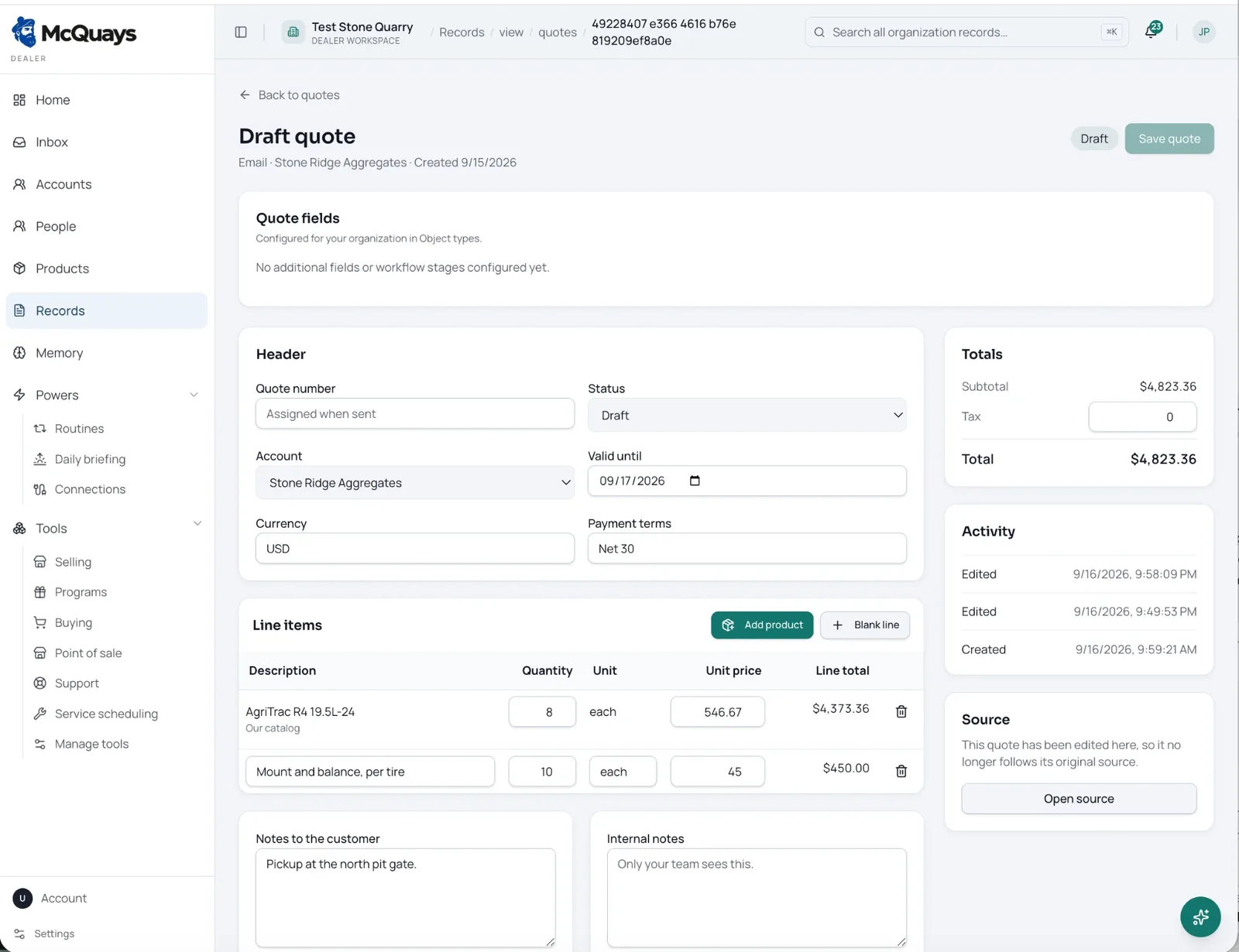
One quote workspace
A useful quote is more than a list of products. McQuays keeps the customer, commercial terms, source request, calculations, notes, and decision history together.
Match requests to your catalog or connected supplier catalogs, then add custom lines when the job calls for them.
Set quantities, unit prices, currency, payment terms, tax, and quote validity in one working view.
Add clear customer notes while keeping internal instructions and team context separate from the document they receive.
Keep the original request and an activity trail close to the quote, even after your team has edited the draft.
The assistant prepares the work. A person checks the products, pricing, terms, totals, and message before sending.
Move an accepted quote into the order workflow without asking the team to rebuild the same information somewhere else.
Request to order
The same context follows the job from the first customer request through approval, so each person can see what happened and what comes next.
01
Start from the email, conversation, account, or request your team is already handling. The original source stays attached for reference.
02
McQuays organizes the account, products, quantities, pricing fields, terms, and notes into a quote your team can work from.
03
Sales, counter, or operations staff review every line and make the commercial decision. Nothing leaves without their approval.
04
Keep customer context, quoted items, notes, and the activity record connected as the sale moves into order fulfillment.
AI prepares. People approve.
McQuays can organize the incoming request and prepare the first draft. Your team remains responsible for fit, availability, pricing, terms, and the final customer commitment.
Draft products, quantities, and quote details from the request.
Surface the account and source context beside the work.
Let a person edit every line before the quote is saved or sent.
Keep an activity record as the draft changes and moves forward.
Built for the people quoting every day
01 / Sales and account teams
Work from the customer record, request history, current pricing, and prior activity instead of opening tabs and chasing internal answers.
02 / Counter and inside sales
Use catalog products for repeatable work, add a blank line for special charges, and keep customer-facing and internal notes in the right place.
03 / Owners and managers
Give the team a consistent quoting process with clear totals, status, terms, ownership, and an activity trail for later review.
Connected customer context
Keep contact details, account history, conversations, prior orders, and open work close to the pricing decision.
Explore customer records